
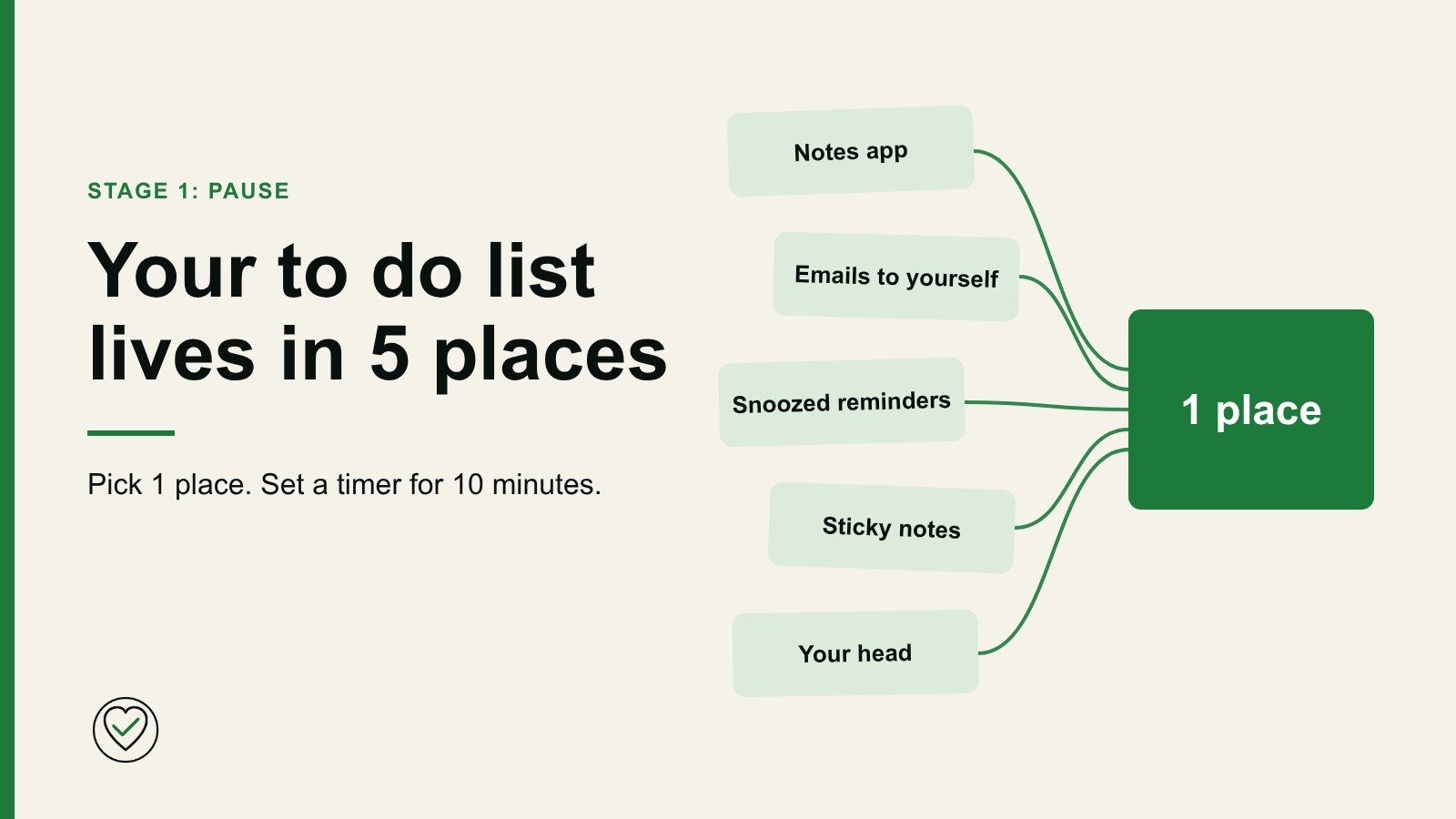
Where is your to do list right now?
I mean all of it. The dentist you need to ring. The form due back on Friday. The gift you keep meaning to order. The thing you told a colleague you would look at.
For most busy people, the honest answer is a bit in the notes app, a bit in the inbox, a bit on the kitchen side and the rest in their head. Nobody chooses this. It builds up, because each place was the nearest thing to hand when the task turned up.
It looks like a small tidiness issue. It costs more than that. When your list is spread across 5 places, you never see the whole of it. You can’t tell what matters, so everything feels urgent and nothing feels finished.
The way out does not need a new app or a free weekend. It needs 1 place and 10 minutes.
Mine ends up in Apple Reminders, on sticky notes, in notebooks, on the whiteboard, on the fridge and with Alexa. I bring it all together at the end of the day, or at least once a week.
The 5 places your tasks are hiding
Your notes app. Easy to add to and easy to forget. Tasks sit next to shopping lists, gift ideas and a wifi password from 2 years ago. Nothing prompts you to look.
Emails to yourself. It felt sensible at the time. Now the reminder is competing with everything else in your inbox, and it sinks a little further each day.
Snoozed reminders. A snooze is a decision to decide later. The reminder comes back with no new information, so you press it again.
Sticky notes. They work for about a week. Then your eye stops seeing them, or they get moved, or they fall behind something.
Your head. The least reliable of all. It has no search and no backup, and its timing is terrible. It tells you about the car insurance at 2am and stays quiet when you are sitting at your laptop.
Yours might not be these exact 5. You might have a photo of a letter, a voice note, or a message you sent yourself. The pattern matters more than the count. If a task could be in several places, you have to check them all, and you won’t.
Why a new list makes it worse
When this all gets too much, the natural move is to start again. A fresh notebook. A new app. It feels good for a day.
But now you have 6 places, and the old 5 keep filling up. What helps is gathering what you already have, before you plan anything.
The 10 minute gather
This is the whole first step.
- Pick 1 place. A notebook or a single app is fine. Choose something you already use and can reach on a normal day. If your phone is always with you, use your phone. If you think better on paper, use paper. Don’t spend the 10 minutes choosing.
- Set a timer for 10 minutes. The limit is what makes this easy to start.
- Move everything into it. Go through each place in turn and leave your head until last, because the other places will jog your memory. A few words for each task is enough.
3 rules keep it to 10 minutes:
- Don’t do the tasks. If you spot a 2 minute job, write it down anyway. Doing it pulls you out of the gather.
- Don’t sort or judge. No order, no categories, no deciding what matters. Something you may never do can go on the list too.
- Clear the original as you go. Delete the note, bin the sticky, cancel the reminder. A task that lives in 2 places will soon be wrong in 1 of them.
Your calendar is not 1 of the 5. Appointments and fixed dates can stay where they are. This is about tasks.
When the timer ends, stop. If you did not reach everything, finish the rest tomorrow. Most of it is now in 1 place, and that was the point.
Why this is the Pause stage
The Personal Reset has 6 stages: Pause, Reflect, Prioritise, Act, Recharge and Re enter. The gather belongs in stage 1, Pause.
Pause does not mean doing nothing. It means you stop adding and get everything where you can see it, before you decide anything.
Most of us skip this and go straight to prioritising. But you can’t prioritise a list you can’t see. You end up choosing from whatever you happened to remember today.
The list may look long when you finish. That is fine. It was always this long. Now you can see it.
After the 10 minutes
You don’t have to do anything else today. Close the notebook.
From here, 2 small habits stop the list scattering again. New tasks go straight into your 1 place. If you can’t reach it, note the task wherever you can and move it across the same day. And open the list daily, because a list you never open is just another place for things to get lost.
When you are ready to sort it, you have a choice. If most of it is household and paperwork, How to make life admin work shows you how to shrink it. If it all still feels urgent, read When everything feels urgent, start here.
Your next step
The gather is stage 1. The free Personal Reset Checklist takes you through all 6 stages in about 30 minutes, with a pen and a clear order to work in. Print it and keep it next to your 1 place for the next time the week gets on top of you.

Written by Oz. I share practical ideas from years in business operations and project delivery, and from running a busy home. More about me.